
Blog Category: Cadence (2 posts)
Braindump is here — try it free, plus Dropbox sync
Cadence | 23rd July 2026 |
General Articles
Product update
Braindump is here — try it free, plus Dropbox sync
A few things have landed in Cadence recently. One of them is a proper new feature, and you don't need to upgrade to try it.
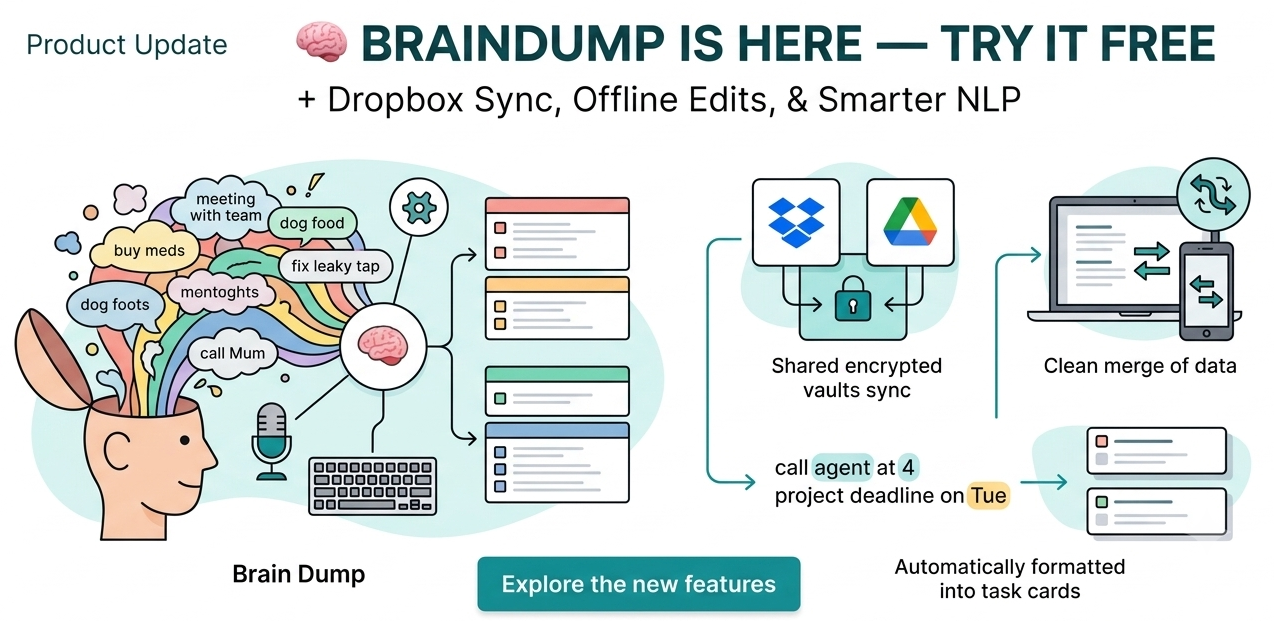
🧠 Braindump
This is the main event. Instead of adding tasks to your list one at a time, you can now just talk — or type — everything that's on your mind in one go, in whatever order it comes out. Cadence pulls out the individual tasks for you, has a go at guessing priority from how urgently you phrased something, and lets you check everything over before anything actually gets added.
It's built for the days where your head's too full to organise itself, let alone organise a to-do list. Everyone gets one free use to see if it's actually useful for how your brain works — after that it's a Pro feature.
📝 Smarter task adding
Available to everyone, no trial needed. Type a task like "pick up meds at 3" and Cadence will detect the time and set it automatically — same for dates. Small thing, but it removes a step from the most repetitive part of using the app.
If you're on Pro, timed tasks also get a quiet notification 5 minutes before they're due, so you're not relying on remembering to check the app yourself.
🔄 Dropbox sync
Cross-device sync now supports Dropbox alongside Google Drive. Pick whichever you already use — everything's encrypted on your device before it's uploaded, so it's unreadable to Dropbox, to Google, and to us. OneDrive is next, currently stuck behind some Microsoft account setup issues that are out of our hands. No ETA we can honestly give you, but it's not abandoned.
📶 More reliable offline editing
If you use Cadence somewhere the connection drops in and out, edits made offline now merge properly when you're back online, rather than risking being silently overwritten. Not glamorous, but it matters.
Curious about Pro? See what's included — £5.99/month, cancel any time.
As always — bugs, complaints, and ideas are welcome....
What's new in Cadence - June 2026
Cadence | 28th June 2026 |
General Articles
It's been a busy few weeks of building. Some of this came from feedback, some of it from "this should obviously exist and doesn't yet" — but all of it is live now, so here's a proper rundown.
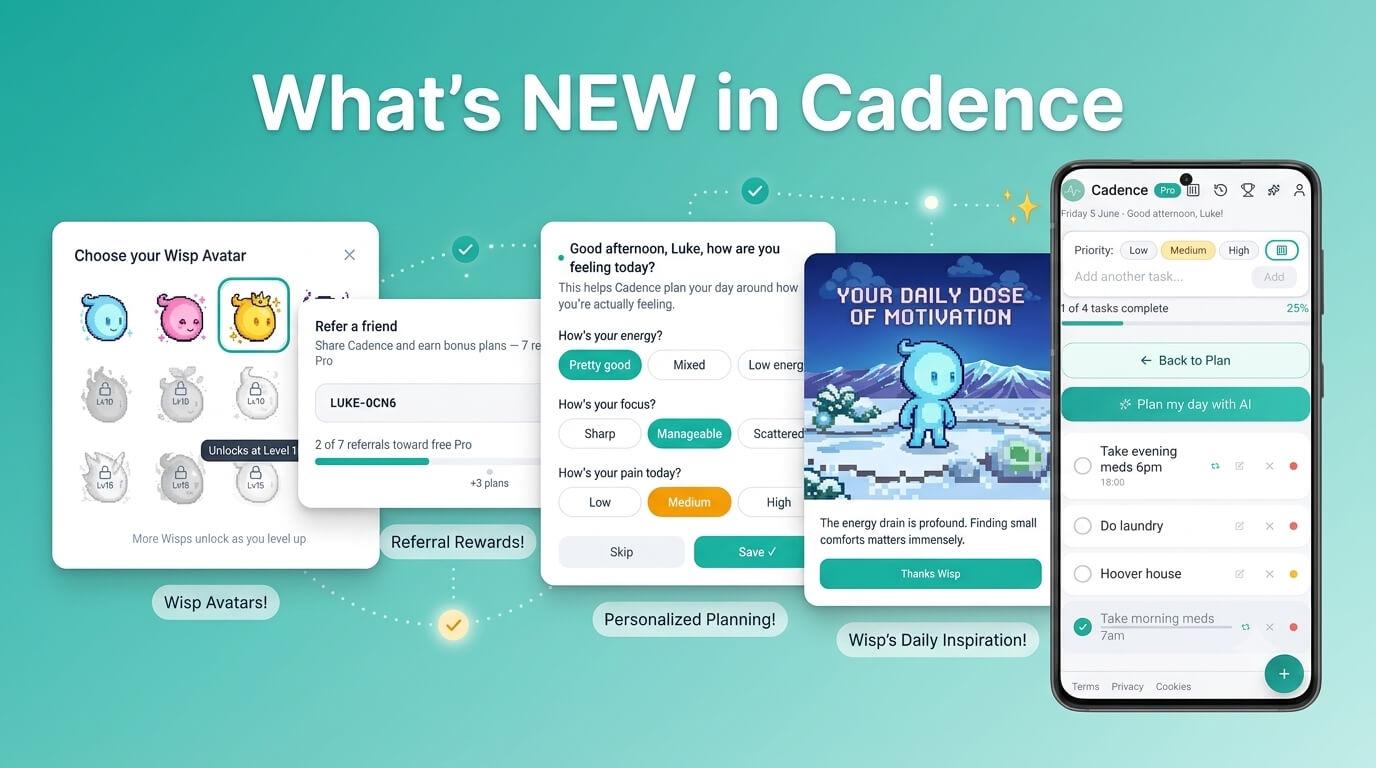
Pain is now a first-class option
Energy and focus have always been the two things Cadence asks about when building your day. They were never the whole picture for everyone, though — if you live with chronic pain, "low energy" and "high pain" aren't the same thing, and planning around only one of them misses something important.
Pain Level is now a third option alongside Energy and Focus, and you're not limited to picking just one. Your check-in and onboarding now let you select any combination — energy, focus, pain, all three, whichever actually describes your situation. The AI scheduling takes whichever you've selected into account, and pain uses its own colour scale rather than reusing energy's (low pain is good, so it's green — the opposite direction to how energy and focus work, which took some care to get right rather than just inverting a slider).
Daily Wisp Motivations and App Tips
Two new opt-in notification types, both free, both off by default until you turn them on in your profile settings.
Wisp Motivations sends a short message each morning — generated to be relevant to your situation where possible, with a sensible fallback when it isn't. We spent a genuinely unreasonable amount of time making sure these don't read like a wellness poster. No "you've got this," no "be gentle with yourself." Just a short, plain, sometimes dryly funny message that doesn't pretend every day is fine.
App Tips are occasional nudges toward features you might not have found — things like the mid-day reschedule or fixed task times. Low frequency, genuinely useful rather than "please open the app more."
Mark Complete, right from the notification
If a task reminder pops up and you've already done the thing, you shouldn't have to open the app just to tick it off. Ta...